Void
A void cancels an approved transaction before settlement, so the customer is not charged. You can only void on the same day, before the batch is settled.
After settlement, use a refund instead.
Void a transaction
- Go to History and select the transaction to cancel.
- Tap Void on the details page.
- Enter the Merchant Passcode (configured in the TMS Portal during terminal activation) and tap Confirm.
- On success the status changes to Sale-Voided. You can issue an updated receipt by email, QR code, e-receipt or share.
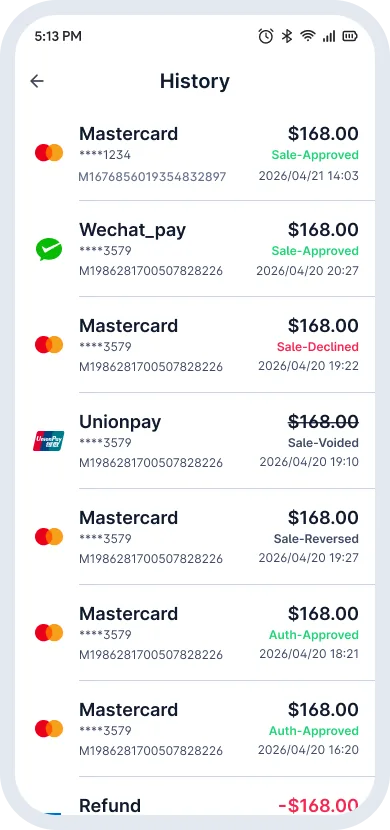
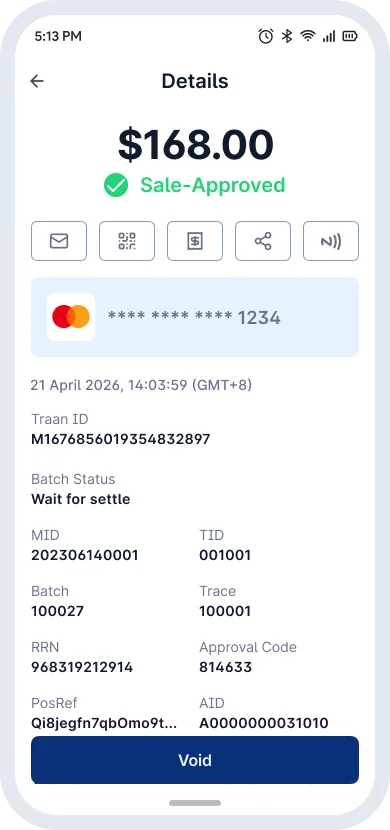
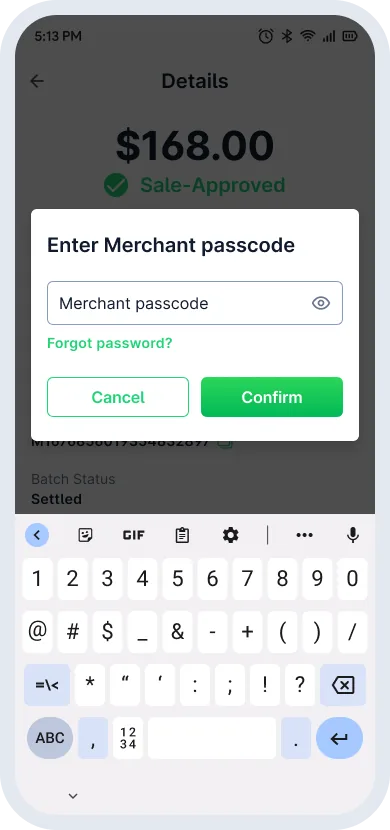
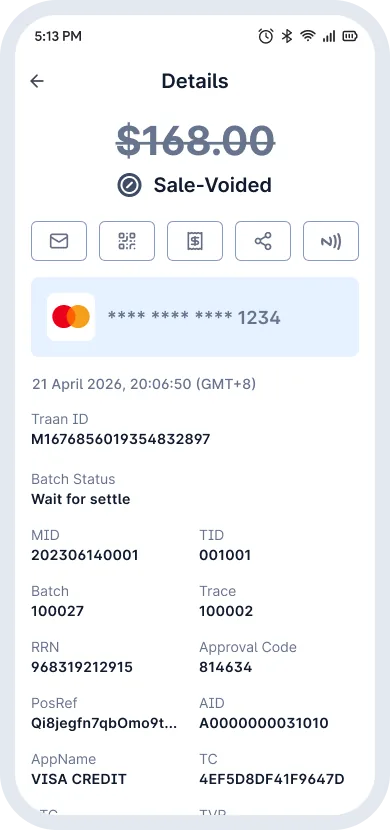
Void lifecycle
- Approved
- Void
- Void Approved