Settings
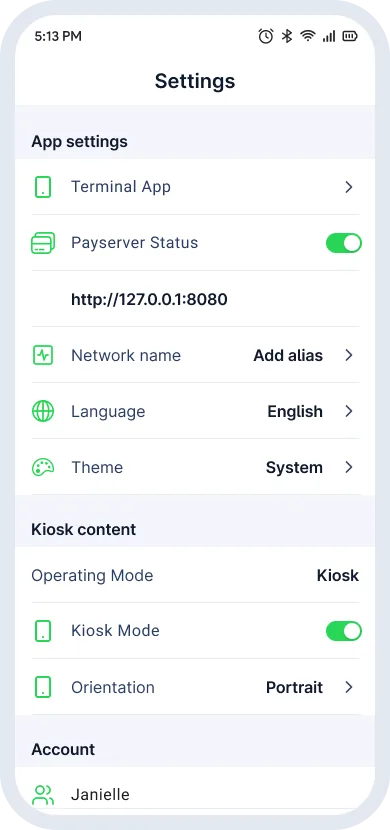
Tap Settings on the bottom navigation bar to configure the device.
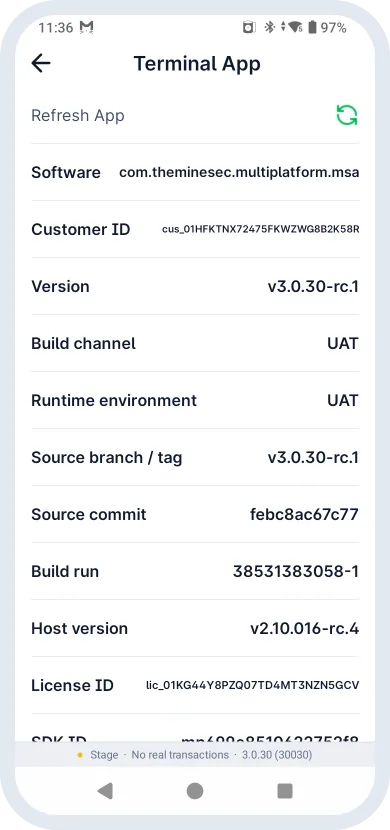
- Terminal App: software build, active SDK version and licenses.
- Payserver Status: turns the built-in local web server on or off. It accepts inbound HTTP payment requests from the local network (see POS Integration).
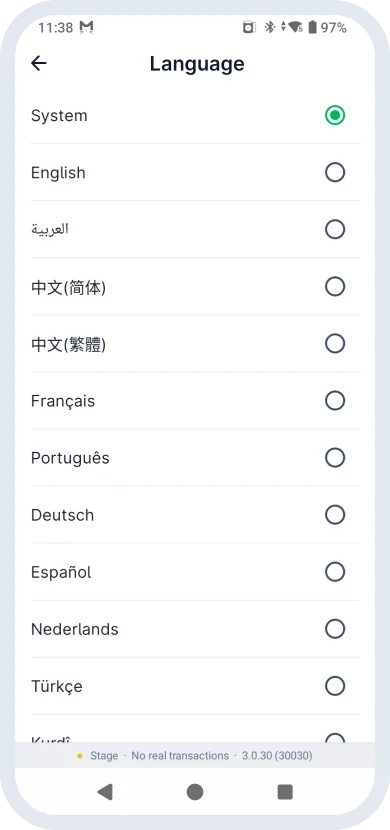
- Language & Theme: change the app language, or switch between Light and Dark mode. Changes apply immediately, with no restart.
- Shop Information: key setup data, including MID and Device ID.
- Account & Logout: view account details, or tap Logout and confirm to end the session and return to the login screen.
Settings reference
| Field | Description |
|---|---|
| Refresh App | Syncs the latest terminal configuration and updates from the server. |
| Software | Package name or identifier of the installed app. |
| Version | Current build version of the app. |
| Host version | Version of the transaction processing host or gateway module. |
| License ID | Encrypted string that authorizes this terminal to process payments. |
| SDK ID | Unique identifier of the embedded payment SDK. |
| SDK version | Certified version of the payment kernel (for example L2 EMV kernels). |
| MID | Merchant Identifier. A unique code for each merchant account, used for transaction routing and reconciliation with the acquirer. |
| Device ID | Unique identifier for each activated device, used to tell devices apart under the same merchant profile. |
| Kiosk Mode | Customer-facing unattended mode. See Kiosk Mode. |